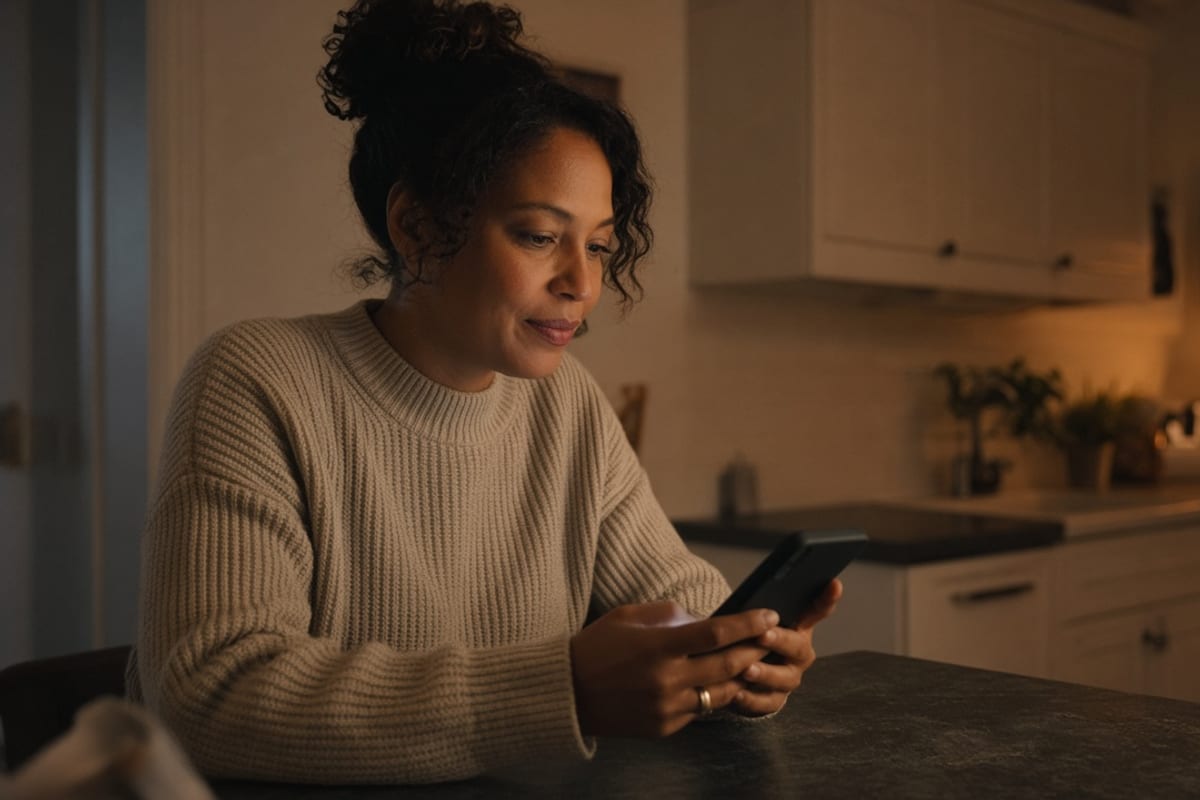
The family benefits decision guide is one page. Who is covered. Where to go for care. The numbers to call. What to do at open enrollment. It opens with no company login, because the person using it at 9pm is often a spouse on the couch. Write it for that person. Send it as a link they can forward, a text, or a sheet they can stick on the fridge.
Households are half of Reach Equity™. The full argument is in spouse and dependent benefits communication and in the Reach Equity guide. An enrollment that lives only in a work inbox misses the decision-maker, which is the failure mode in email-only open enrollment. Eighty-six percent of employees say they are confused by their benefits. The guide is how a household gets a shorter, truer set of facts.
What fits on one page
Four blocks. First, who is covered: employee, spouse, children, and the plan names in words people use at home. If dental and vision are separate, say so in one line each. Second, where to go for care: the nurse line, urgent care, the emergency rule in one sentence, and virtual care if you offer it. Name the vendors they will see on a card. Third, the numbers: member service, the nurse line, the pharmacy help desk, EAP, and HR's benefits contact with hours. Fourth, open enrollment: the dates, the one decision that matters this year, and the link to make it.
Write the page at a ninth-grade reading level and keep the sentences short. "Call this number before you go to the ER unless it is an emergency" is usable. A paragraph about steerage strategy is not. The spouse should be able to act from the page without calling the employee at work to translate it.
Put the employee's first name on the page only if you can do it without a login wall and without exposing data to anyone who forwards the link. A generic "your family's medical plan" is safer than a personalized dump. If you personalize, do it inside a message to the employee and keep the public page free of names, claim history, and ID numbers.
Forty-one percent of employees do not understand last year's pick. The guide can include one line on what they have now and one line on what they should check this year. That is enough context. The election itself still happens in the enrollment system. The guide gets the household to the system prepared.
What stays off the page
Leave the full summary plan description off the page. Link it for people who want it. A 90-page SPD on a phone at 9pm does not get read, and pasting it into the guide hides the four blocks. Leave protected health information off the page. No claim examples tied to a real person. No diagnosis. No "people like you usually need this drug."
Leave plan recommendations off the page. "Families usually pick the PPO" is advice you cannot stand behind for every household. You can say what each plan is good at in neutral facts: deductible, whether a primary care doctor is required, which network name is on the card. The household applies those facts to their year.
Leave internal jargon off the page. Accumulators, SPD, QLE, and tier labels need a plain substitute or a one-line definition. If a term is on the card, you may use it and translate it. The test is whether a spouse who has never sat in an HR meeting can follow the sentence.
How to send it
Three sends cover most employers. A forwardable link in the employee's message: "Send this to the person who handles doctor visits." A text to employees who consented, with the link and the deadline, using the practices in texting employees about benefits. A printed one-pager for break rooms, new-hire packets, and anyone who asks for paper. The link must open on a phone with no VPN and no single sign-on.
Ask employees to forward it. Say why. The person who books the appointment is often a spouse. A single line of permission removes the worry that forwarding a benefits email is against the rules. Make sure the page contains nothing you would regret in a group text.
Refresh the page when the facts change. A mid-year network change, a new nurse-line number, or new enrollment dates should hit this page the same day they hit email. An outdated fridge copy is a known risk of print. Put a "updated on" date at the bottom and a sentence: if this date is old, use the link. During enrollment, point the page at the open enrollment hub so the household can go deeper without hunting the intranet.
How a spouse uses it at 9pm
Picture the use. A kid has a sore throat. The spouse opens the page, sees the nurse line, and calls it. They do not need the deductible chapter. Next month, enrollment is open. The spouse opens the same page, sees the dates and the one decision, and sits down with the employee. The page did two jobs because both jobs were on it.
If your only benefits link demands a work password, the 9pm visit fails. That failure shows up later as an ER visit for a minor issue, a missed deadline, or a call to HR that starts with "my husband never told me." Fix the door first. Then fix the words. Reach Equity™ includes the household. LinQed Online can host the no-login page and the sends around it once the four blocks are approved.
Review the page with two people who are not in HR: a spouse of an employee, if someone volunteers, and a frontline employee. Ask them to find the nurse line and the enrollment dates in under a minute. If they cannot, cut words until they can. The guide is done when someone outside HR can use it in under a minute.
Key takeaways
- One page: who is covered, where to go for care, the numbers to call, and open enrollment.
- No company login. The reader at 9pm may be a spouse.
- Leave the full SPD, claim details, and plan recommendations off the page.
- Send a forwardable link, a consented text, and a print copy with an updated-on date.
- Test it with someone outside HR. They should find the nurse line in under a minute.
- Refresh the page the same day a number, network, or deadline changes.
Frequently asked questions
Can we put the SPD on the family guide?
Link the SPD. Do not paste it. The guide has one job: the few facts a household needs in the moment. The legal document remains available for people who need every term.
Is it safe to include names or ID numbers?
Keep the shareable page free of names, member IDs, and anything about a person's care. A link that gets forwarded should still be safe in a group text. Personalize in the message to the employee if you need to, behind a path you control.
What if we only have work email?
You can still publish a no-login page and ask employees to forward it. Add print and, after you collect consent, text. Work email alone does not reach the person making the 9pm decision. That gap is the one to close first.
How often should we update the guide?
Whenever a phone number, network, contribution, or deadline changes, and at least once before open enrollment. Put the updated-on date on the page so a printed copy can be checked against the link.
Publish one page a spouse can open at 9pm: coverage, care, phone numbers, and what to do at enrollment.
Pairs strategic thinking with a drive to get it right every time. With 16+ years of experience — including a communication practice in Sydney, Australia — she specializes in simplifying complex benefit programs.